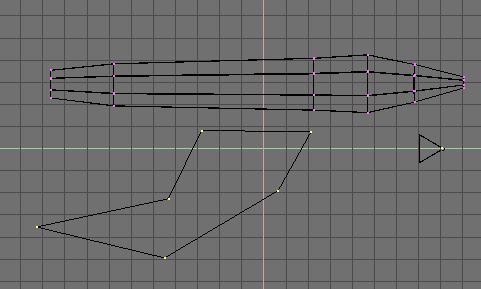
Drag the points of the circle around one by one until you come up with a cool wing shape you like. Or just do it like this picture.
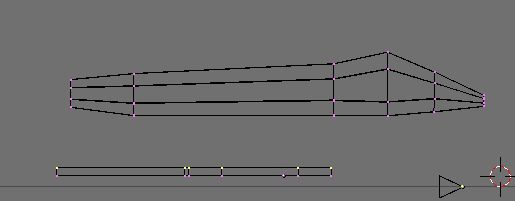
Now we will turn to the side view and extrude the wing to give it some dimension. Hit E and make it look like this pic.
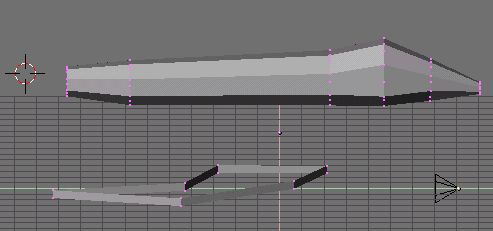
Okay. Hitting Z and Rotating the view will show you that your wing is hollow! *SCREAM* It's ok. We can box select each row of points, just like in two pictures above. Then, we use our SHIFT-F command to fill in the holes. Only use SHIFT-F on one row at a time. Bad things can happen if you fill odd faces in.
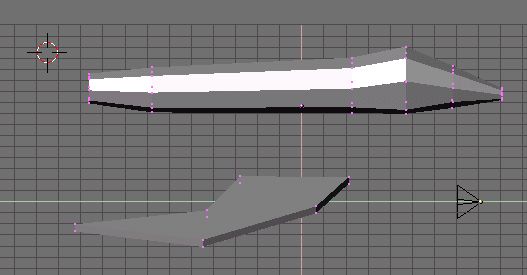
Rotate the view and your wing should be filled in, as above. (Check the bottom and top.)
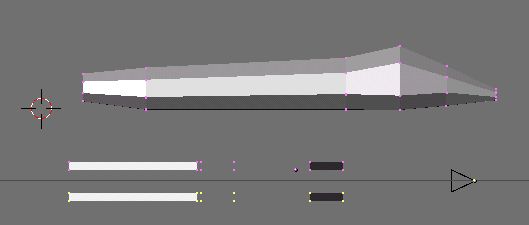
Now we will use a new command to duplicate our wing exactly. Select the entire wing and hit SHIFT-D. This will copy the wing. Move the new wing apart from the old one.