|
Important information:
When you use images as components
of materials, the images are mapped to the object according to the
UV space assigned. For Truespace2, UV space is assigned to an object
by different modes of projection: planar, cylindrical, and spherical.
UV space comes from the mathematical way of describing any point
on the surface of the object with the U parameter (horizontal distance
around an object from a given point) and V (vertical distance around
the object from a given point).
When you select the UV projection tool, a new
UV space appears around the object. This is
not the object's current or default space, which cannot be depicted
once set. If any textures were previously applied to the
object, they will be automatically remapped using the new
UV space.
This is the most serious drawback in using Truespace2
to create our models. Once the default UV space is changed, you
can't get the default space back and you can never determine the
way it has been set. So in other words, AVOID CHANGING THE DEFAULT
MAPPING SPACE. EVER.
This UV mapping limitation of Truespace2 will also
require that you start every object as a primitive object (cube, sphere,
cone, cylinder, plane, torus) with a default UV map. Several of the more
complicated modeling tools in Truespace will create an object without an
UV map, which cannot be textured without automatically remapping the
rest of the UV space. Later versions, such as Truespace 4.0+, are reported
to be much better at mapping UV space (although not perfect).
Please read the Truespace documentation on UV
Projection Tool for further information on this 'feature'.
|


 again.
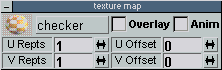
Truespace will automatically open all the material panels again. Click
on the checkered marble in the Shader/Maps panel (the 3rd icon
on the top row
again.
Truespace will automatically open all the material panels again. Click
on the checkered marble in the Shader/Maps panel (the 3rd icon
on the top row  ).The
Texture map panel will appear again. Close all the panels except
for the Material preview and Texture Map windows. We'll
be using the texture map window to adjust our texture's size and placement
on our model, and observe the changes in the material preview window and
on the model itself.
).The
Texture map panel will appear again. Close all the panels except
for the Material preview and Texture Map windows. We'll
be using the texture map window to adjust our texture's size and placement
on our model, and observe the changes in the material preview window and
on the model itself.
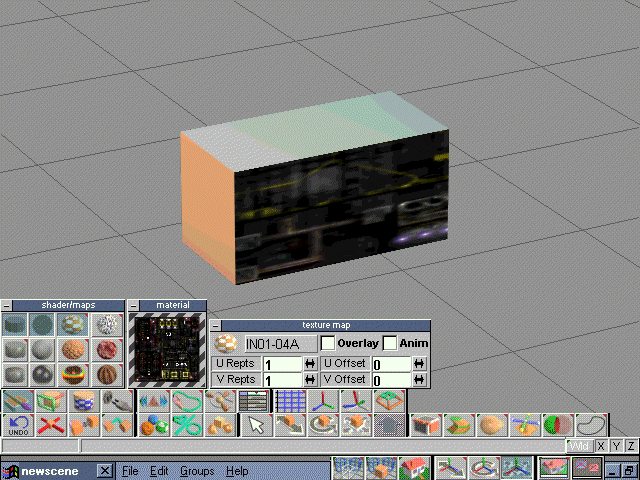
 to
get a sharper image of the texture applied to our model.
to
get a sharper image of the texture applied to our model.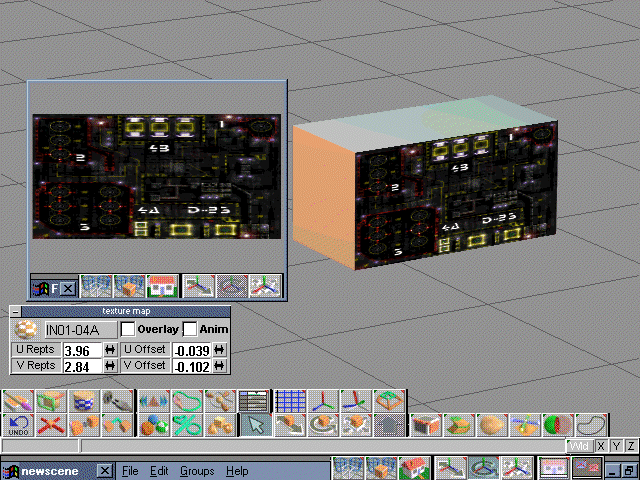
 Adjust
the U Repts value to scale the width of the texture and adjust
the V Repts value for vertical scaling by typing new values into
the Texture Map window and pressing enter. Click the cursor on the face,
and you should see the texture render at the new size.
Adjust
the U Repts value to scale the width of the texture and adjust
the V Repts value for vertical scaling by typing new values into
the Texture Map window and pressing enter. Click the cursor on the face,
and you should see the texture render at the new size.
 With
the method we are using to texture our model, Truespace will not let you
rotate the texture. If you need to position your textures so they face
in a different direction, you will have to create new textures with the
picture facing the direction you want. Load in a new texture and map it
to the model just as we have done previously.
With
the method we are using to texture our model, Truespace will not let you
rotate the texture. If you need to position your textures so they face
in a different direction, you will have to create new textures with the
picture facing the direction you want. Load in a new texture and map it
to the model just as we have done previously.


