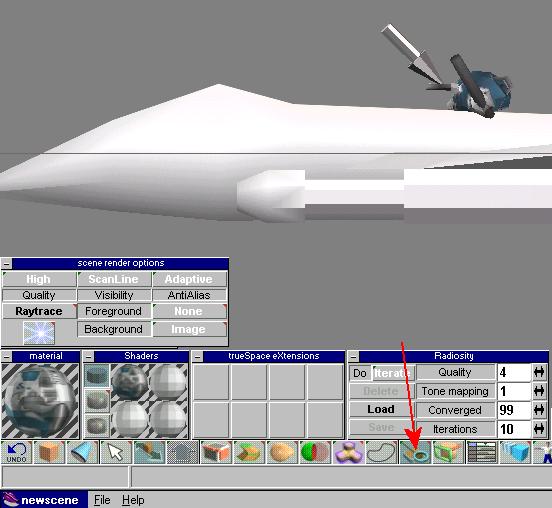
You'll use the magnifying glass shown here to pick up the texture. These will appear in the materials box shown in the bottom left corner.
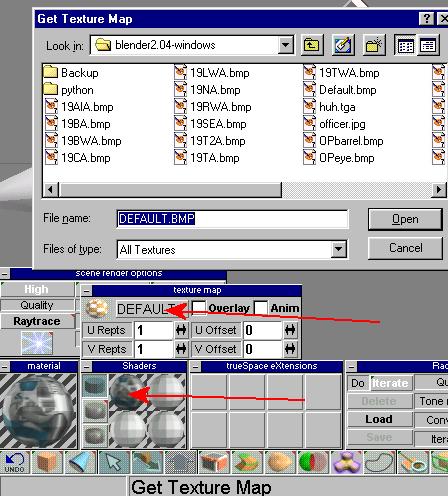
Right click on the sphere underneath the Shader window. That brings up the small window above it with the texture (called DEFAULT) in it. Click on this box and then a file select box appears so you can choose your texture that you wanted. You'll want to leave these boxes open while we paint. First, we will choose the gold base file I created from the awacs tile. Its called tgold oddly enough.
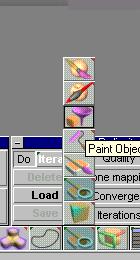
At this point the UFO icon will appear. Click it within 3 seconds or you will be abducted and probed. Ok, not really. Now we are painting the ENTIRE object with the base texture. This is the best way to start because it will ensure that all faces are painted. So, you click on the paint menu and choose that purple funnel looking thingy.
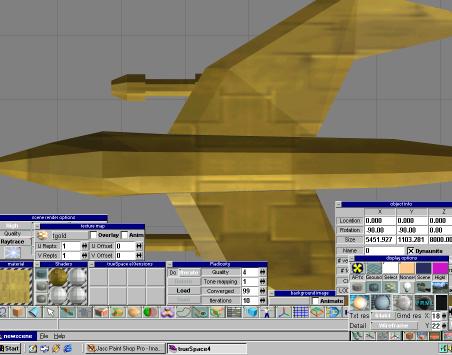
As you can see, the model has been painted. However I do not like the texture mapped this large. So, I will increase the amount of REPETITIONS... the amount of times that the texture is repeated.
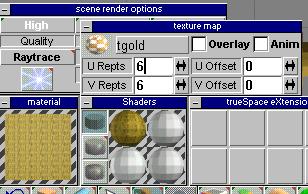
Here I've changed it to 6 repeats for each. You can think of the U and V as similar to X and Y coordinates.