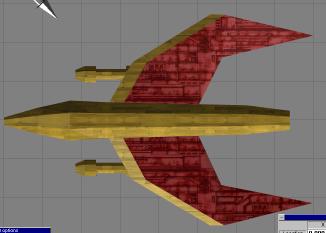
Here's a re-render with the maps rotated in TS. Now, you should know that you'll have to reload TS for the new texture to show correctly (dont forget to save first!)
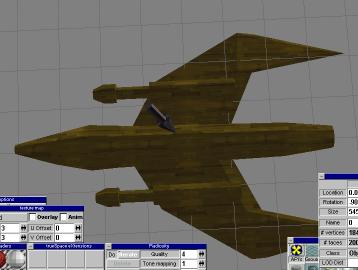
Now, we rotate in perspective view to the bottom so we can do the bottom of the wings. However, its a bit dark down here. Hmm. We need to do something about that.
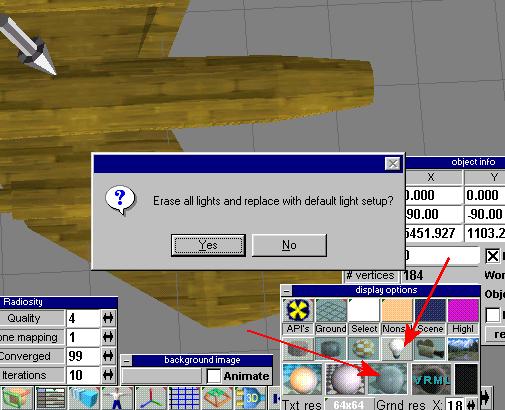
We want to do two things at this point. First we will replace the lighting with the default white light setup. This is done by clicking the white sphere shown in the picture. Then you can get a white light setup so you can see the bottom. Then click that light bulb so it will not show the lights in the picture as rendered objects (this is a good thing.)
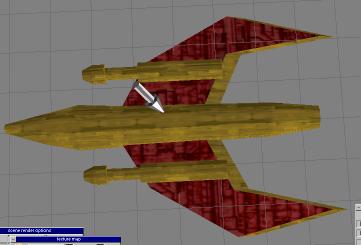
Now we paint the bottom of the wings.
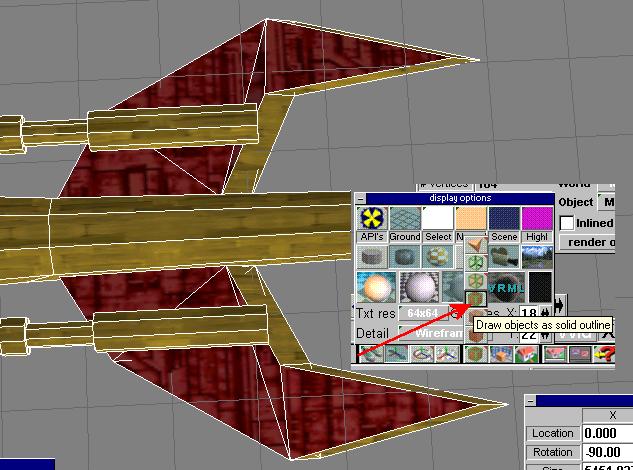
At this point, I've painted the parts of the wings I wanted, but the next work is more detailed. So, we will turn on rendering with the solid outline. Woohoo. Now I can see the faces to paint more exactly.