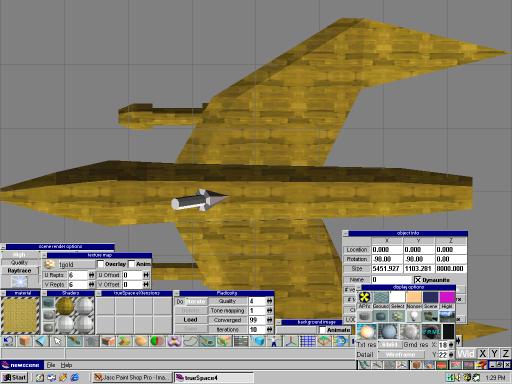
Okay, I repainted the whole object with the new UV and I like it better. But I want to stretch the texture front to back so the tiles look longer. Let's go change the UV reps again.
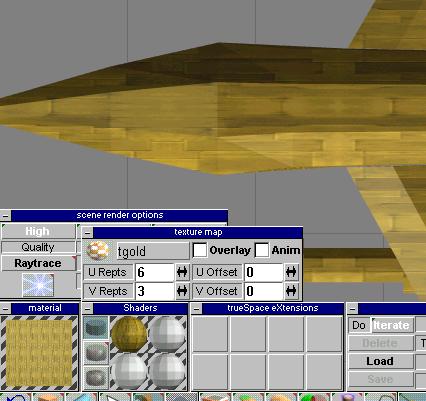
Changing the V reps to 3 and leaving the U at 6 gives me the look I wanted.
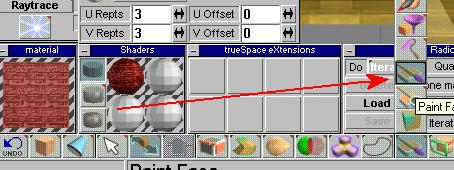
Now that we have the base texture applied, we will paint individual faces with other textures. I loaded the tred texture in the texture window as you can see, and then I choose the paintbrush icon here to paint faces. (I know my verb tenses are all messed up in this tutorial but I hope you get it.) I changed the UV reps to 3 for this texture. The little preview window gives me a little idea of what it will look like.
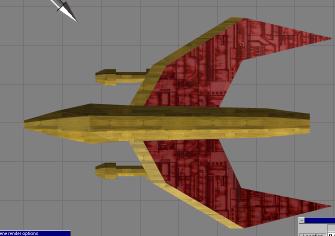
I used the little paintbrush to paint this part of the wings. However, I want the texture to be oriented the other way. You can't rotate the texture in TS, so I'm going back to PSP.
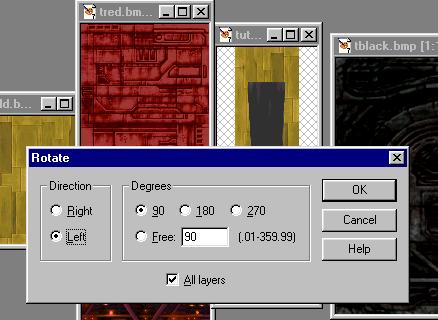
Ah. Here we are back in PSP. We're going to install some trak lighting ... no wait. We're going to rotate that red texture. Go to Image, then pick Rotate and you'll see this menu.